
- Working prototype
- Professional kitchens
- Product discovery
Dieta ShopBring your product range into focus.
Explore the range. Find the brand. Inspect the product.
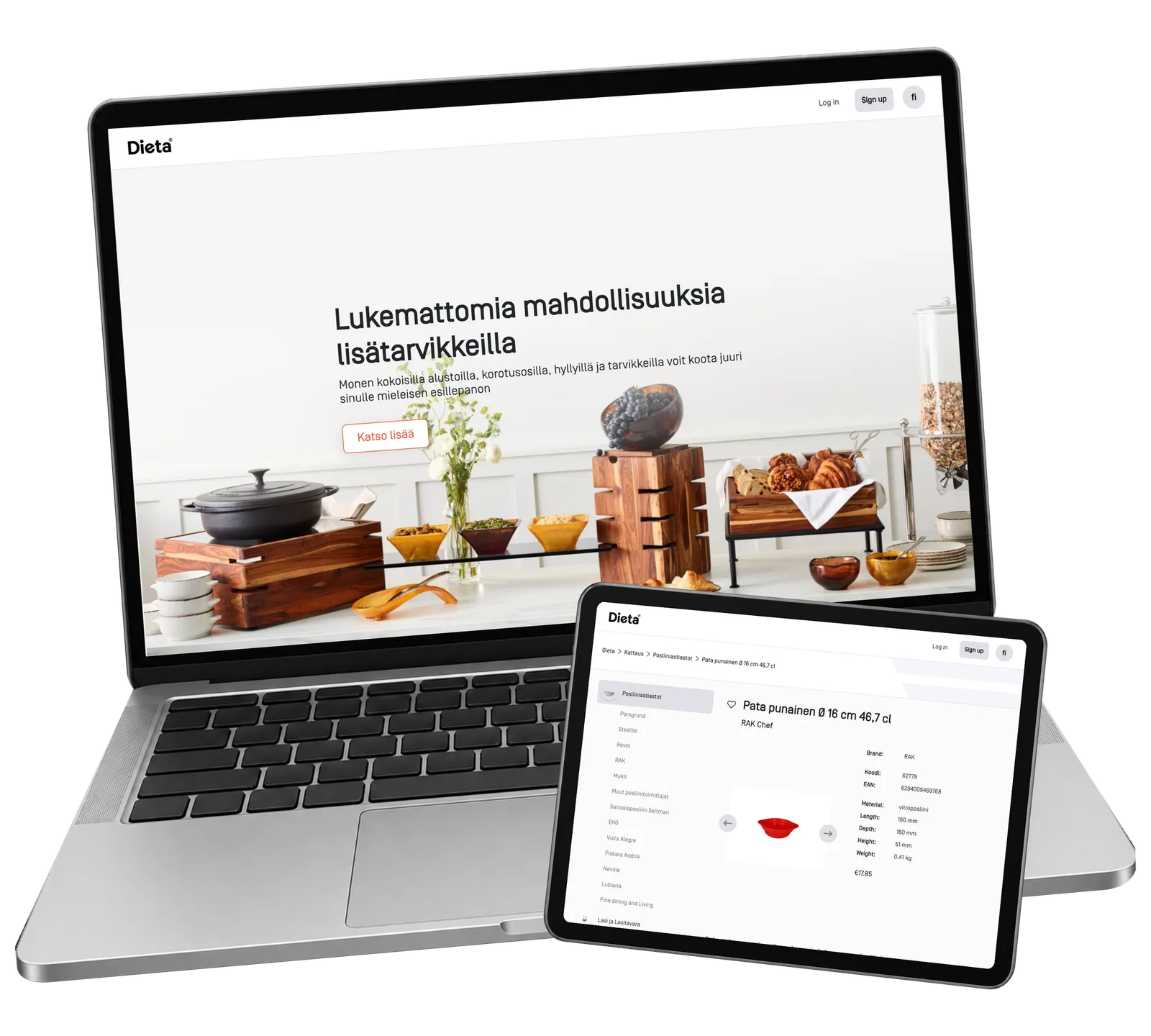
Choosing equipment for a professional kitchen starts with finding the right product. ReApptor developed the Dieta Shop prototype to bring visual browsing, product categories, brands and detailed specifications into one catalogue.
- Suomi (Finnish)
- Dansk (Danish)
- English (English)
- Norsk (Norwegian)
- Polski (Polish)
- Русский (Russian)
- Svenska (Swedish)
- Українська (Ukrainian)
ReApptor can build multilingual workflows for teams and customers working across markets!
Case overview
Business problem
Different products need different information
A professional kitchen catalogue has to explain very different products. A serving bowl is chosen through its appearance, material and dimensions; a pizza oven needs its capacity, size and electrical requirements. A buyer may start with a kitchen task, a product category or a familiar manufacturer. The challenge is to keep those routes connected to the same reliable product information. Dieta Shop explores this through a working catalogue prototype for kitchen equipment and tableware. Its product photographs give the range a visual starting point, while categories, brands and individual product pages provide progressively more detail for the person making the choice.
From the collection to the product details
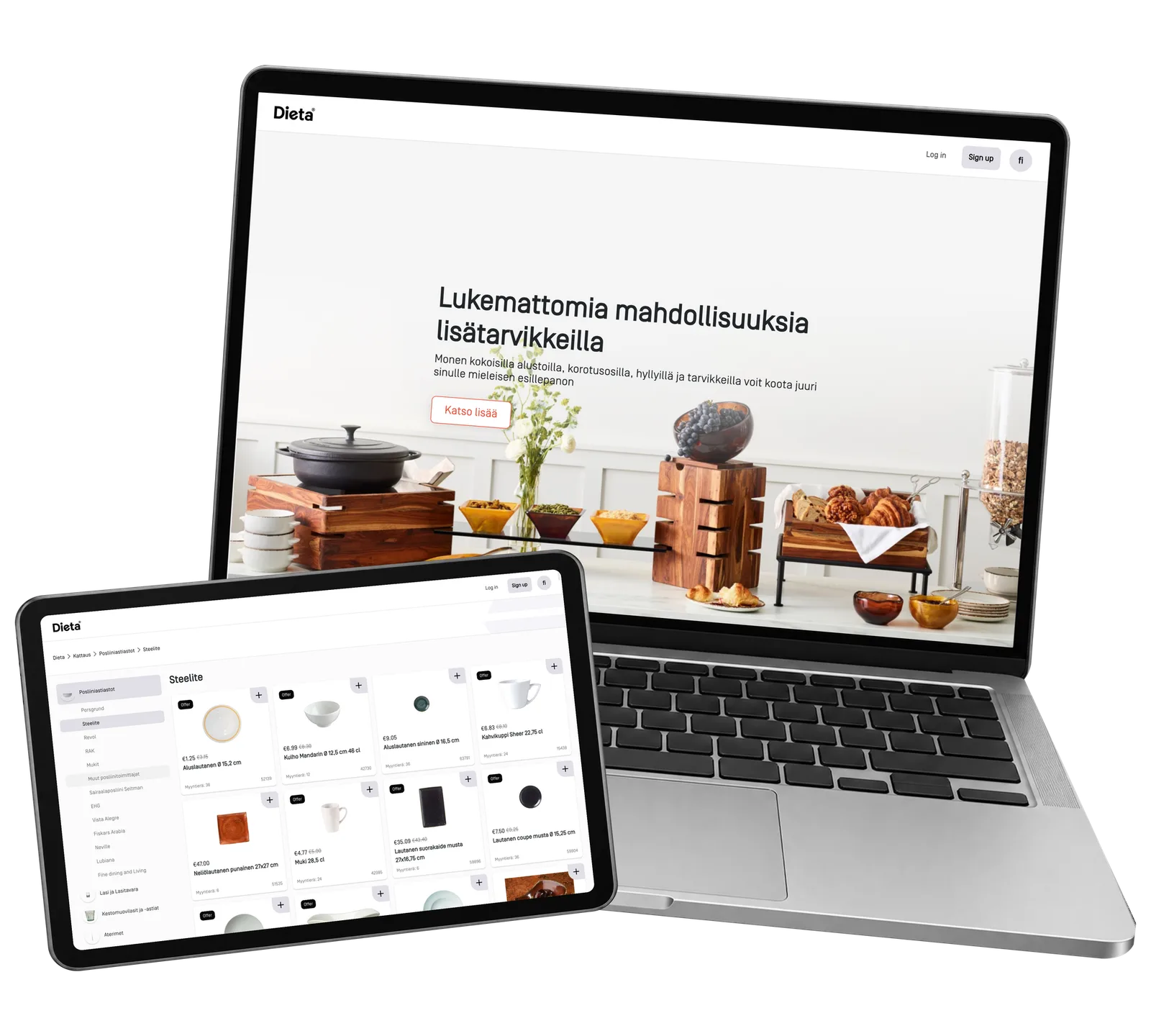
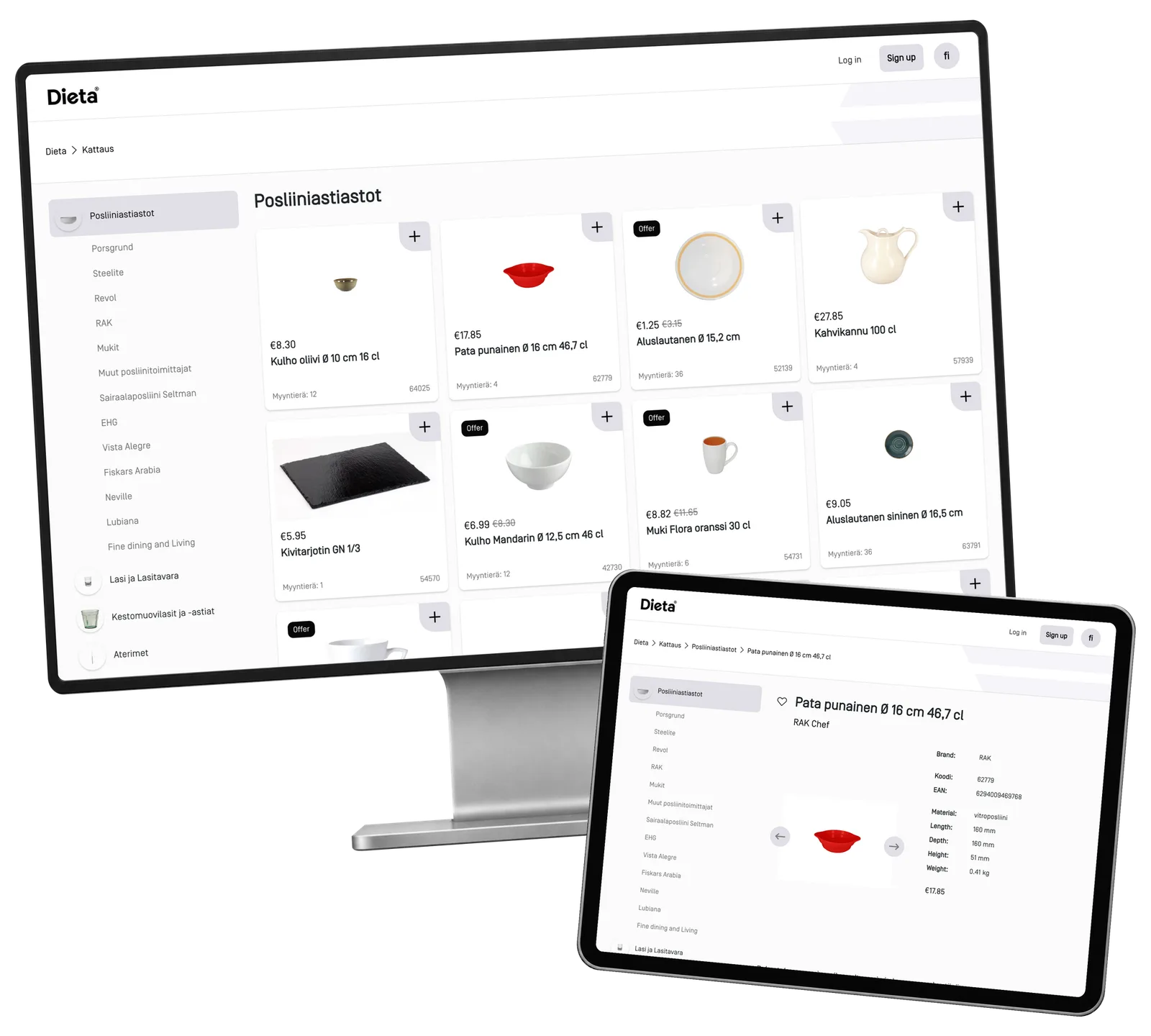
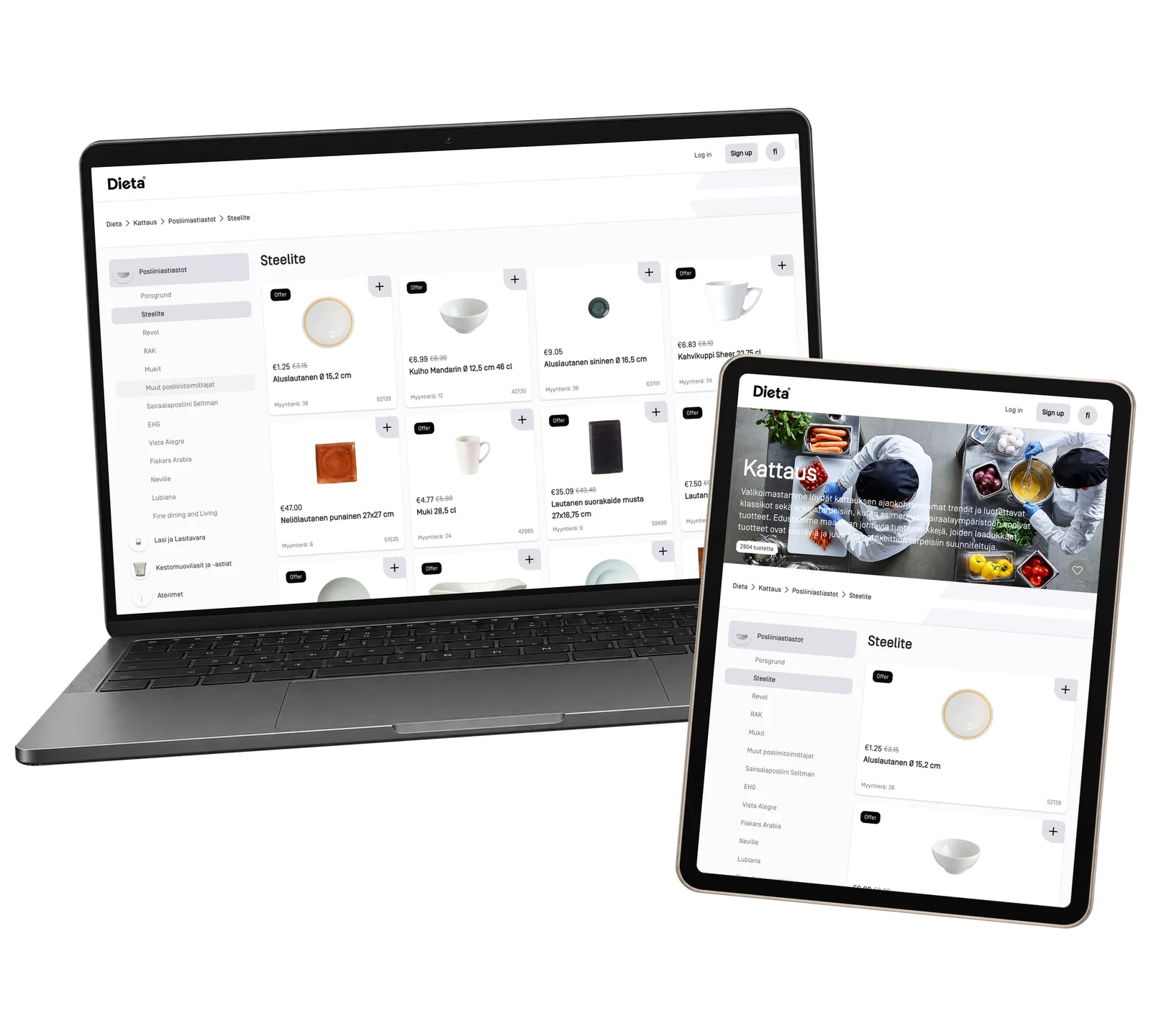
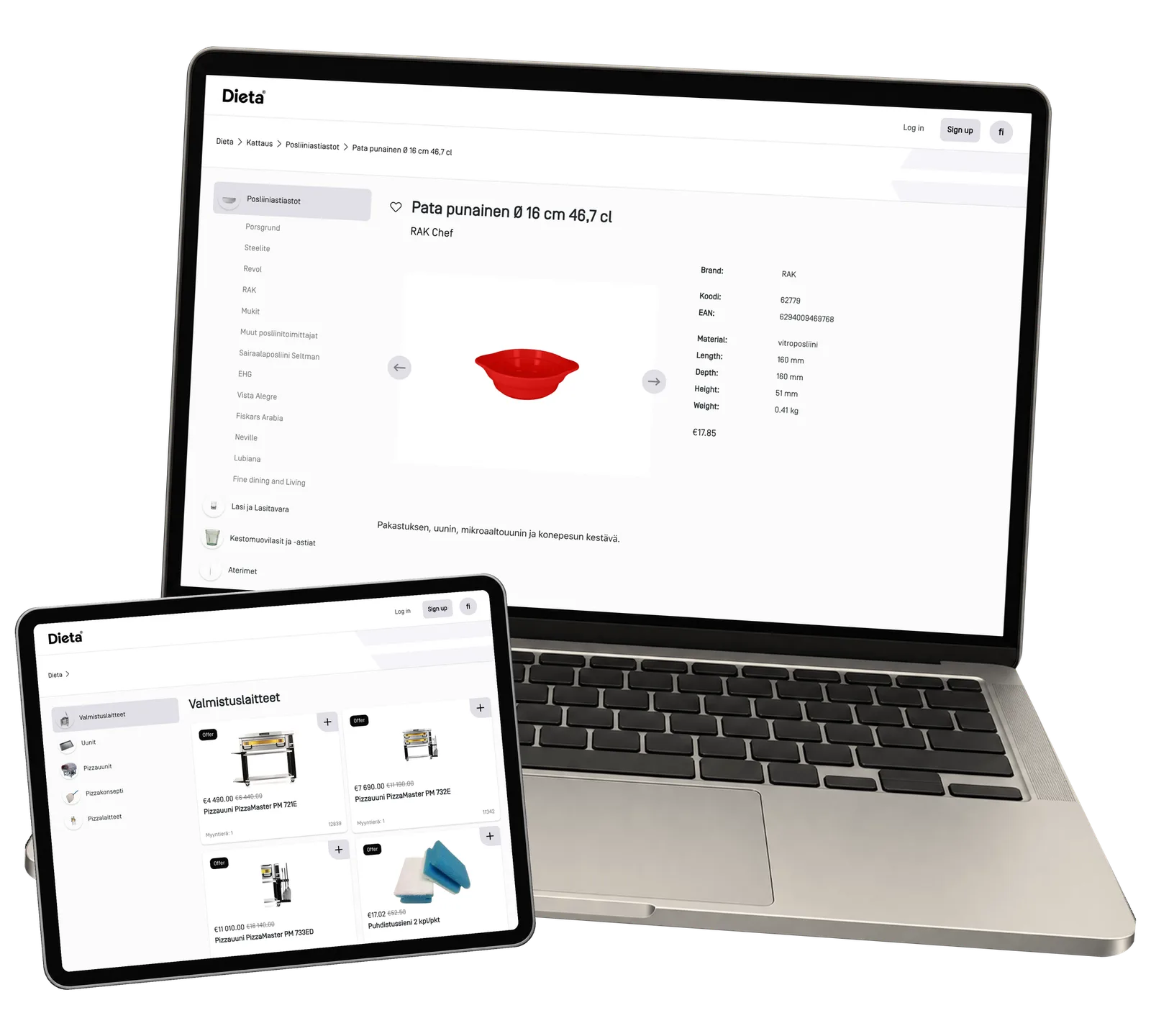
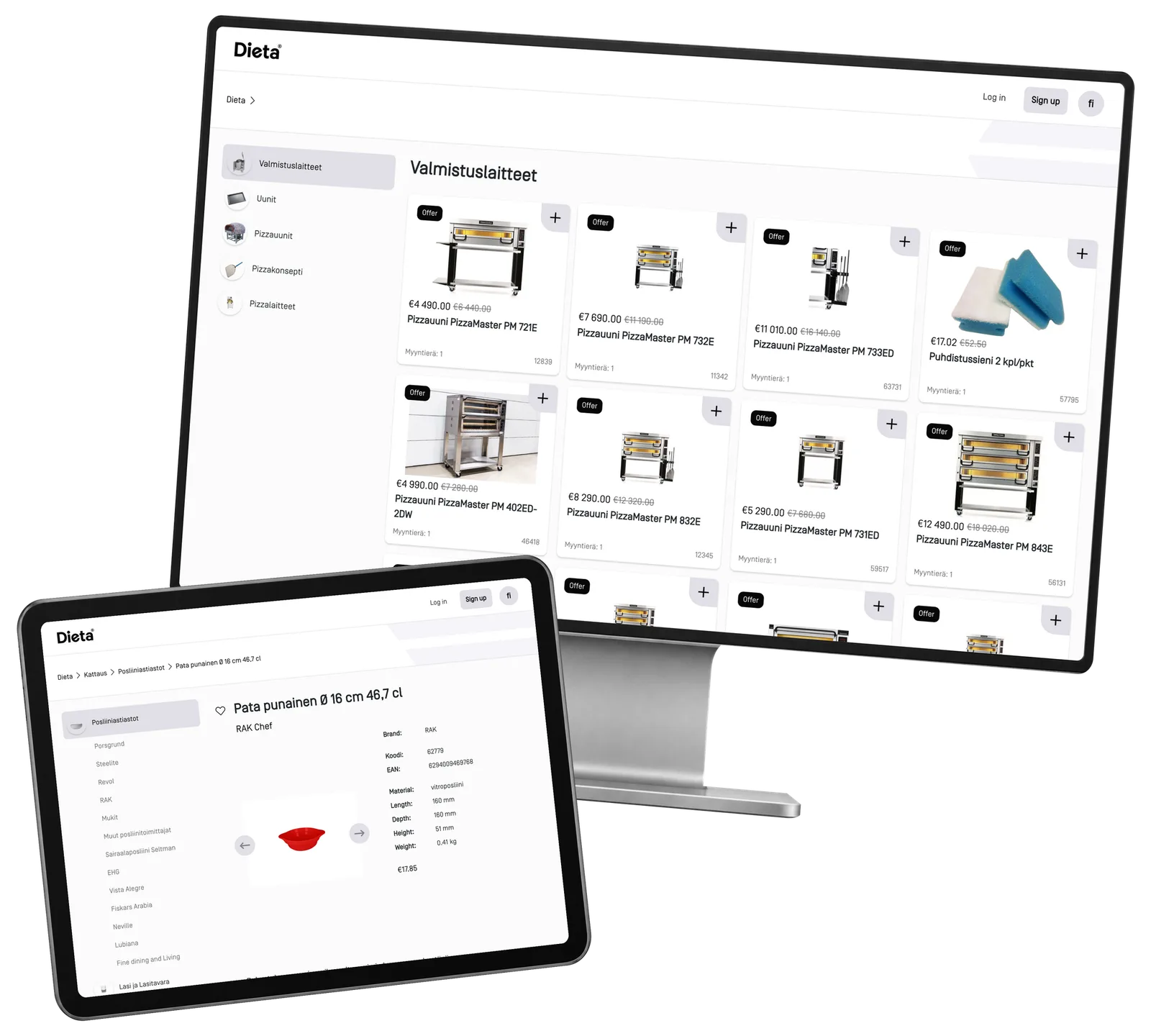
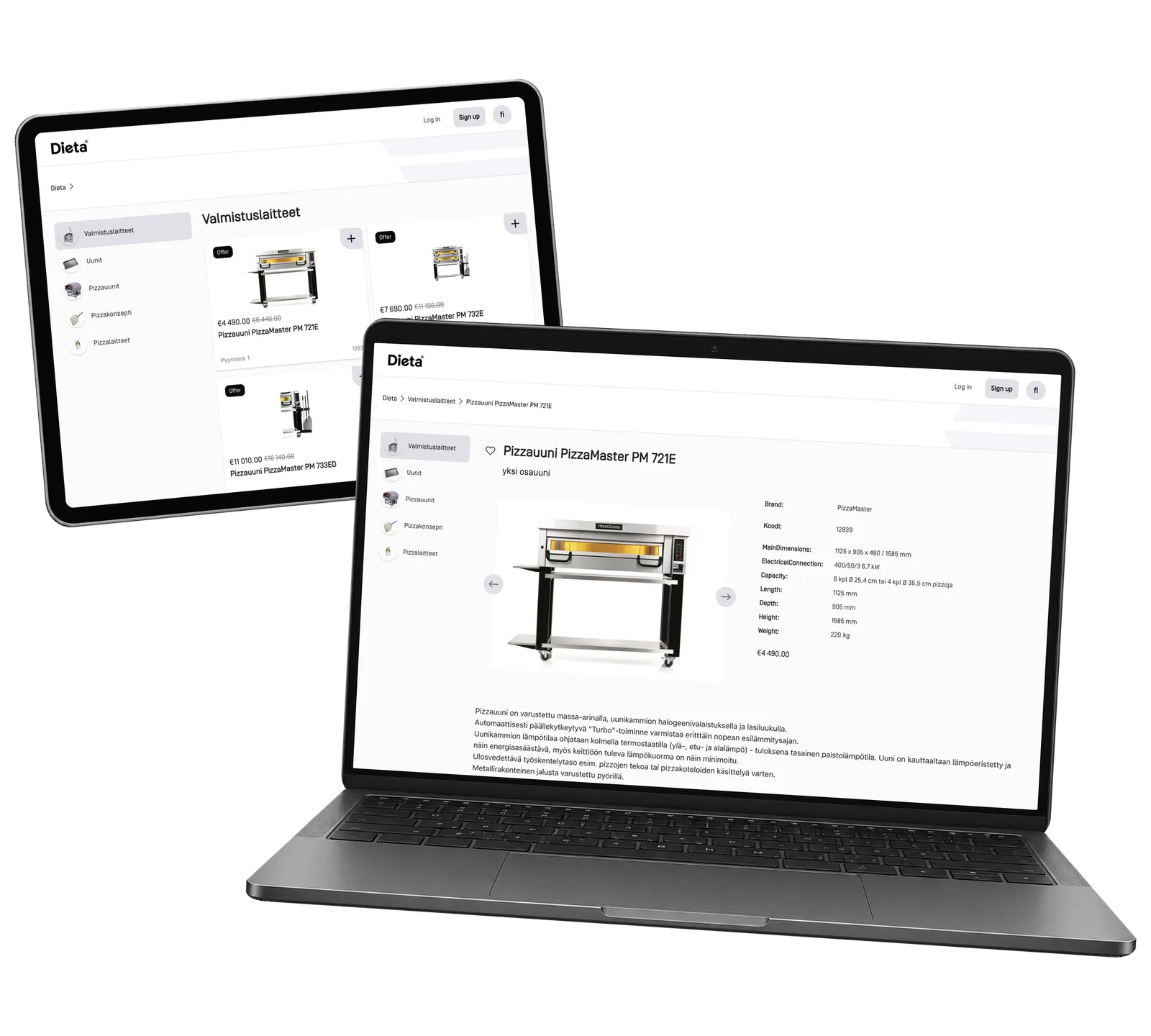
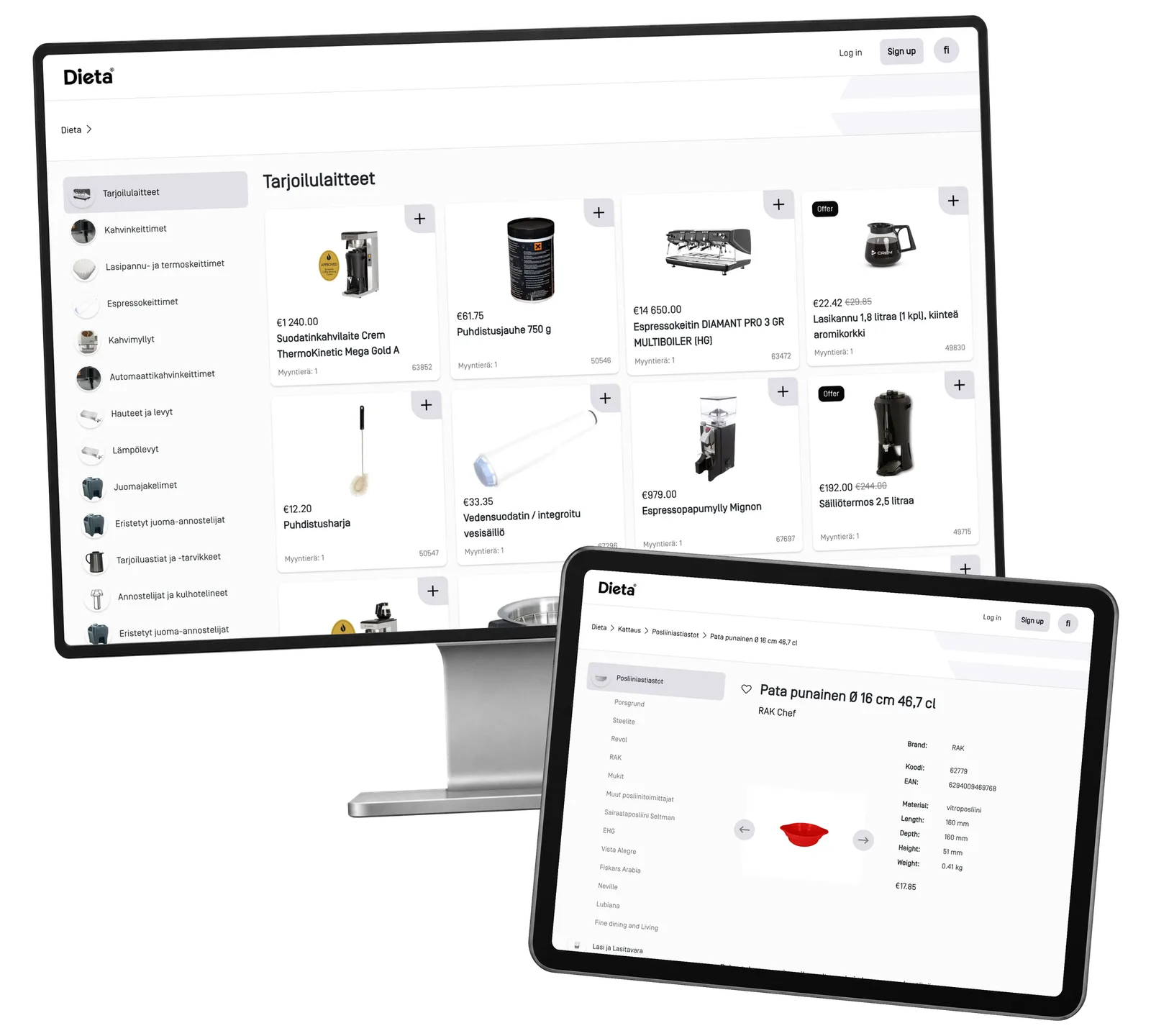
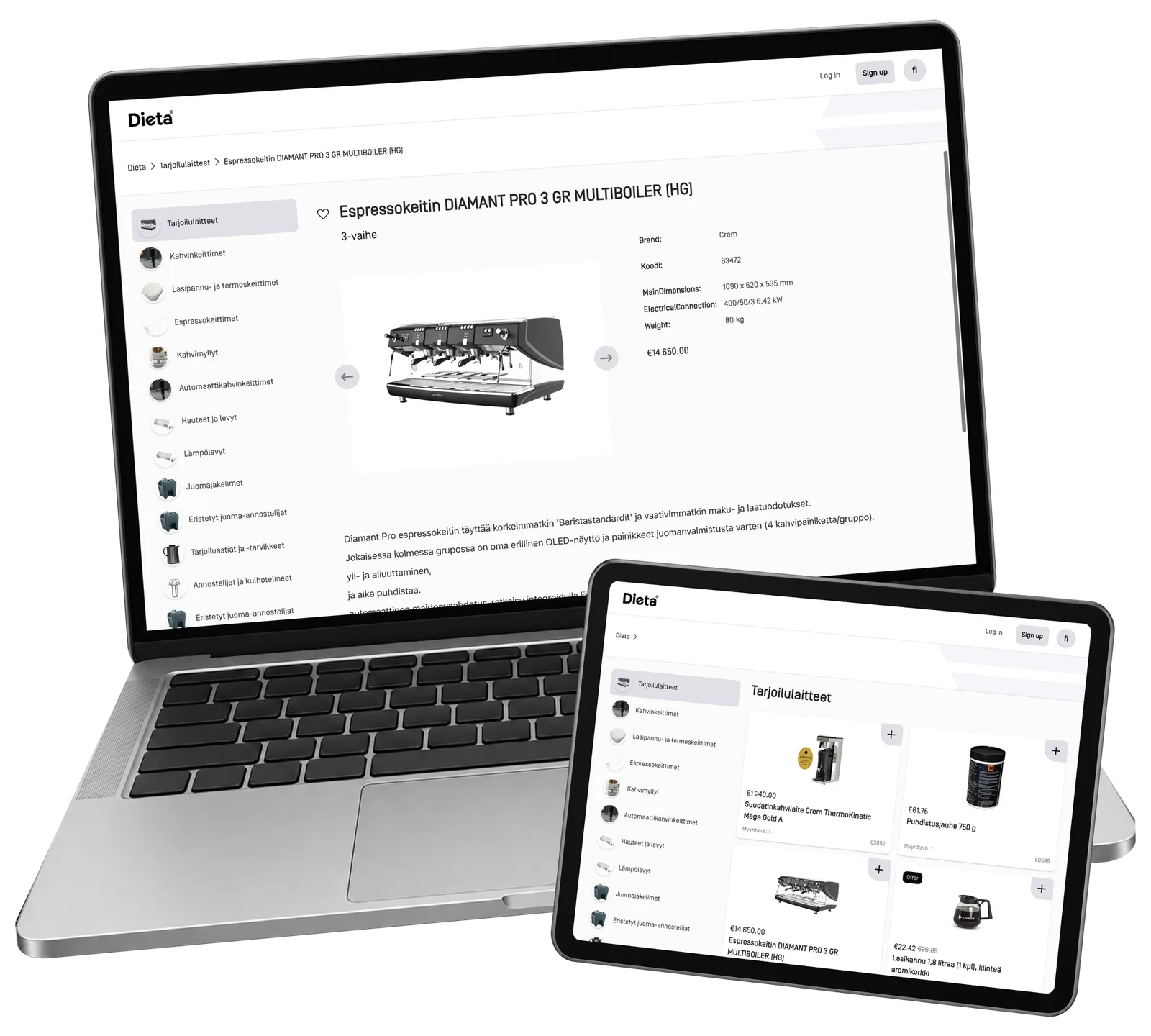
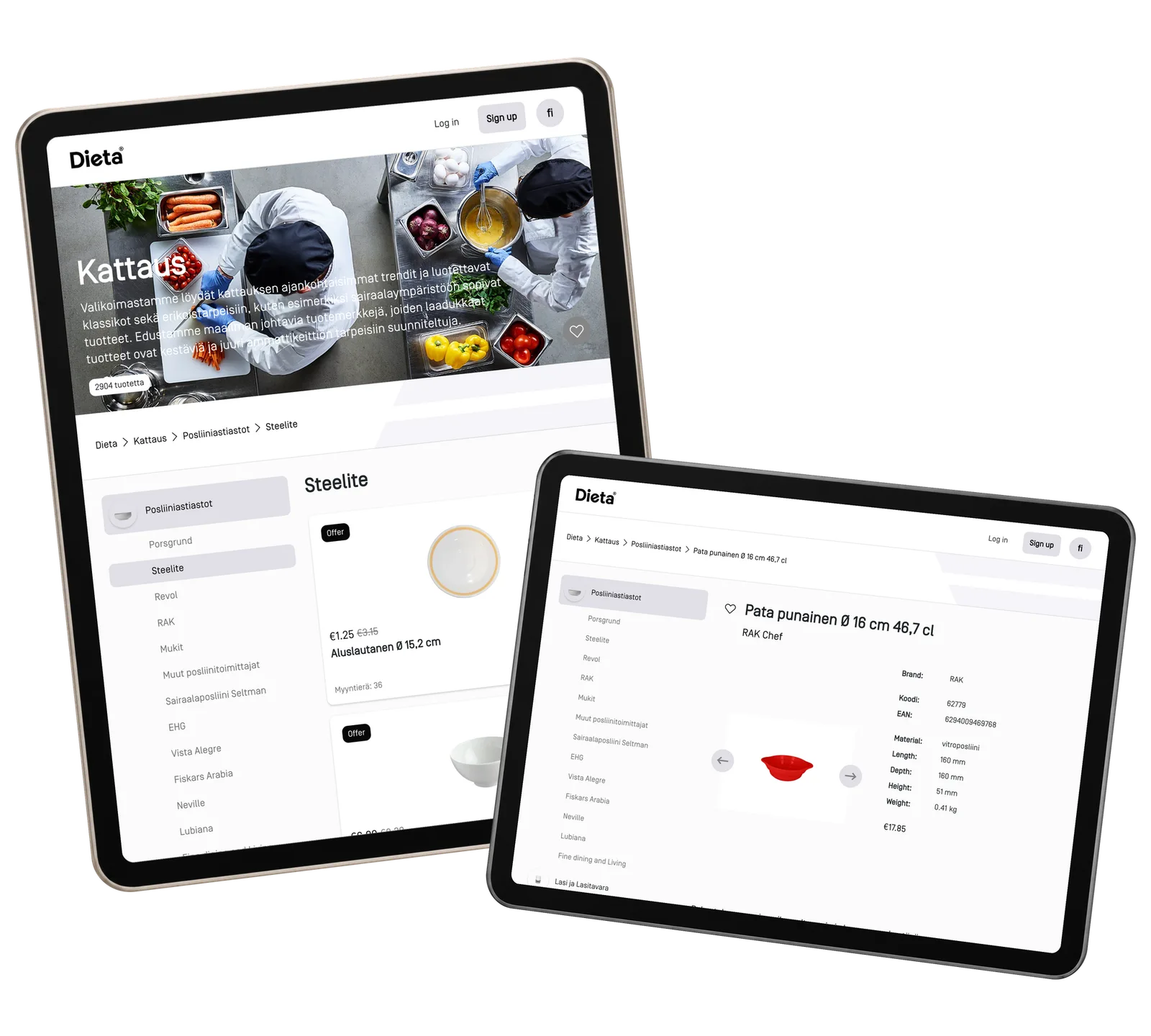
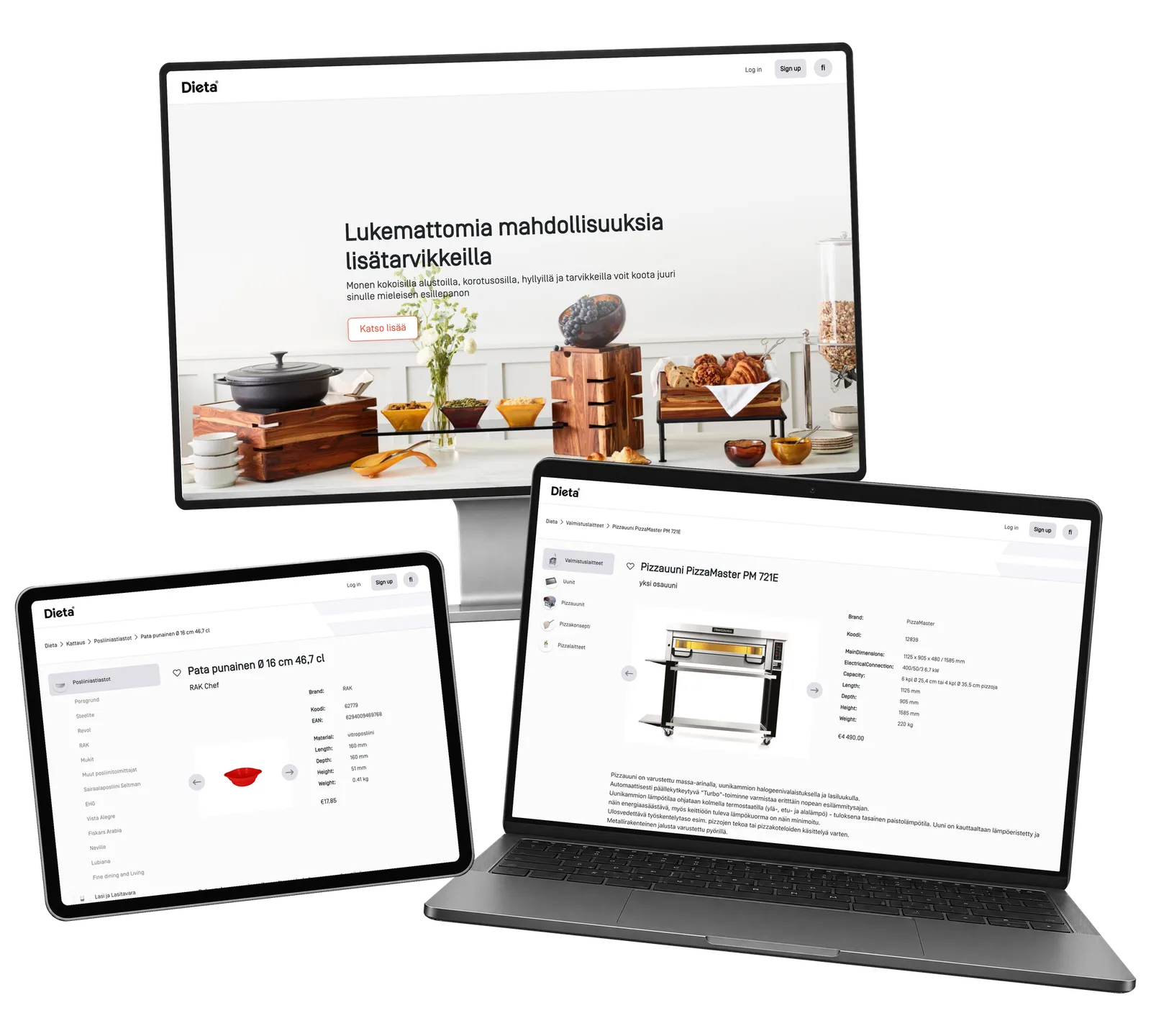
ReApptor built a catalogue interface that connects product groups, subcategories, manufacturers and individual items. Customers browse photographs and prices, narrow the range by category or brand and open a product without leaving that context. The detail view brings together the image, product code, description and relevant attributes. The same structure supports tableware, pizza equipment and coffee-service products, while recently viewed items provide a route back to earlier choices. The screenshots show the working prototype with catalogue examples and historical prices. The focus is the product-selection journey: discover a range, understand a brand and inspect an item with the information needed for the next conversation.
Screenshots and media
Screenshots and media
Product capabilities
What customers and teams can do
Browse by kitchen need
Browse product groups and subcategories, from tableware to cooking and coffee equipment. Photographs make the assortment tangible, while the category path keeps the current selection understandable. A customer can move between related groups within the catalogue.
Explore familiar brands
Open a manufacturer’s range and continue through the relevant categories. Tableware collections and specialist equipment share the same catalogue structure, while each product remains linked to its brand. Customers can explore a known supplier and inspect the products that fit their intended use.
Inspect the product details
Open the product photograph alongside its code, brand, description and technical attributes. The information follows the item: tableware can show material and dimensions, while equipment adds capacity and connection details. Recently viewed products lead back to items already explored.
Reusable platform model
What ReApptor can reuse from this case
Industry-specific product catalogue
Present a complex assortment through the product groups and photographs your customers recognize. Shape the catalogue around the way people choose products in your industry, from an initial category to the detailed item they want to understand.
- Make the range easier to explore.
Ideal for
Suppliers with varied professional product ranges.
Category and brand discovery
Give customers more than one route to the same product. Connect categories, subcategories and manufacturers so that buyers can begin with a task, a familiar brand or a collection and then inspect the relevant items within the same clearly structured catalogue.
- Keep different browsing routes connected.
Ideal for
Distributors working with several product brands.
Detailed product presentation
Bring images, product identifiers, descriptions and technical attributes together. Adapt the information shown to the product type so that a decorative item and a technical machine can each be explained clearly within the same customer experience.
- Keep the details beside the product.
Ideal for
Businesses selling products with important specifications.
Build a catalogue around your products
Show us how your customers find products, which details influence their choices and where your catalogue information lives. We can discuss a product experience built around your assortment, brands and buying situations.
Discuss your catalogue